
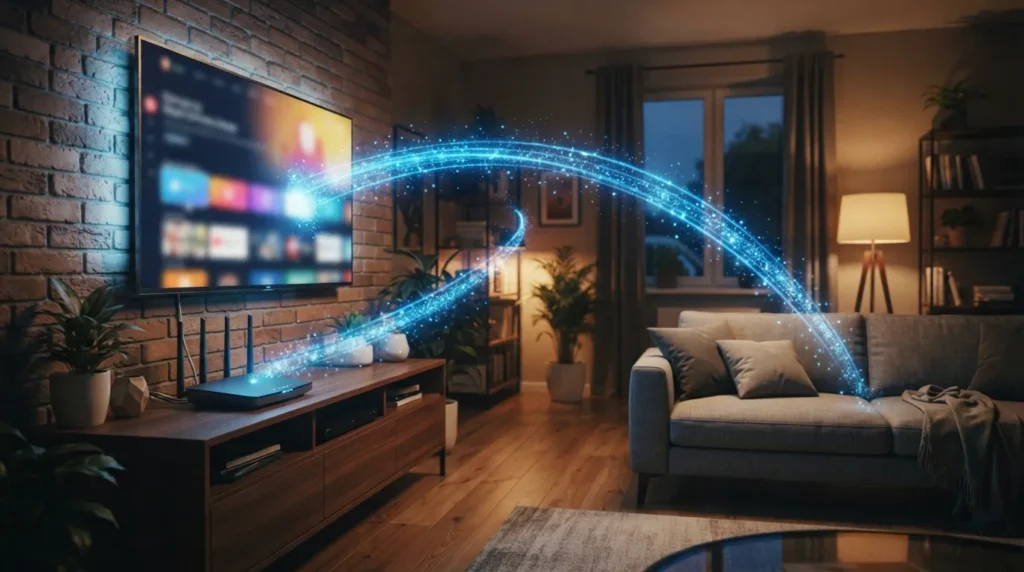
So, how does IPTV work? In short, it sends TV channels to your screen as internet data instead of a broadcast signal. Your device asks for a channel, a server sends that exact stream, and your screen plays it back in real time. That is the whole idea in one sentence. But the details matter if you want to understand why picture quality, speed, and reliability can vary from one setup to another.
This guide breaks the process down step by step, in plain language, without technical jargon. By the end, you will understand exactly what happens between the moment you press play and the moment your show appears on screen.
What Happens When You Choose a Channel
Traditional cable pushes every channel down the same line at once. Your box simply tunes into the one you pick, like turning a radio dial. IPTV does not work that way.
Instead, IPTV sends only the channel you actually select. Your device sends a request, a server finds that stream, and the video travels to you in small data packets. Nothing else is sent. This is more efficient, but it also means your internet connection now plays a direct role in what you watch.
How Does IPTV Work, Step by Step?
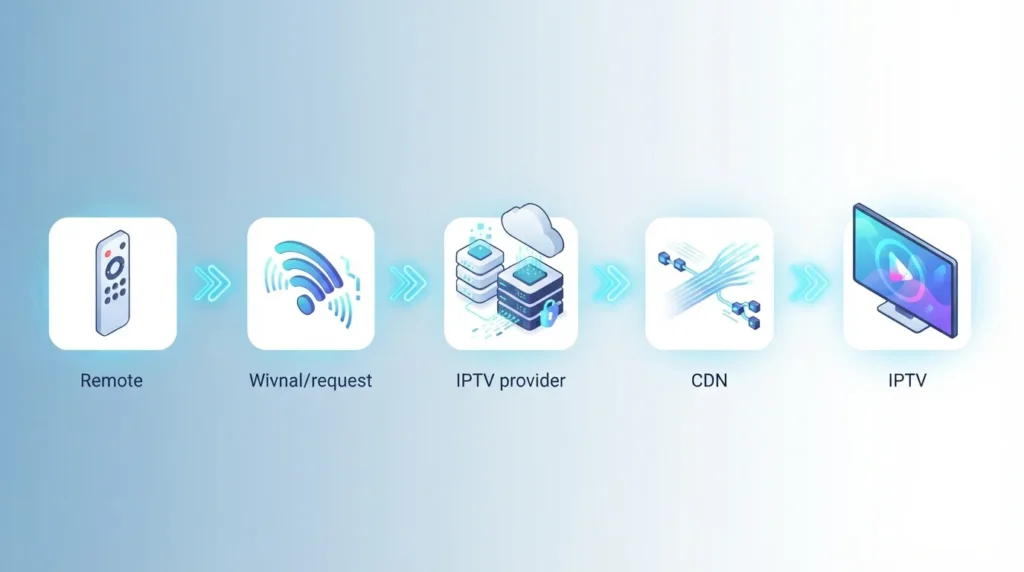
Here is the full journey your favorite channel takes, broken into simple stages:
- You select a channel in your IPTV app or player.
- Your device sends a request over your home network to the provider’s server.
- The server locates the stream and begins sending it as data packets.
- The packets travel through your internet connection, router, and WiFi or Ethernet cable.
- Your device decodes the packets and reassembles them into video and audio.
- The channel plays on your screen, usually within a few seconds of your original request.
This entire process happens quickly. However, each stage depends on the one before it, so a weak link anywhere in the chain can cause buffering or delays.
A Simple Way to Picture It
Think about the difference between a radio broadcast and a video call. A radio station broadcasts one signal to everyone at once, whether or not anyone is listening. That is how cable and satellite work.
A video call is different. It only starts when you dial in, and the data flows specifically between you and the other person. IPTV works closer to the video call model. The stream exists only because your device requested it.
Why This Analogy Matters for IPTV Streaming
This comparison explains why IPTV streaming feels different from cable in practice. Because the connection is direct and on-demand, your personal internet speed and network quality become part of the equation. A cable signal does not care how many devices are on your WiFi. An IPTV stream does.
What Your Device Actually Does With the Stream
Your streaming device or app is doing more work than it looks like. It has to receive the data, unpack it, decode the video and audio, and display it smoothly, all in real time.
Most modern smart TVs, streaming boxes, phones, and computers handle this decoding automatically. You do not need to configure anything technical yourself in most cases. Still, older or underpowered devices can struggle, especially with high-definition streams.
Why Your Internet Connection Is So Important
Because every channel travels as data, your internet plan directly affects your viewing experience. A slow or unstable connection can cause buffering, pixelation, or channels that fail to load.
Here are the main factors that influence performance:
- Your internet download speed and consistency
- How far your device sits from your WiFi router
- How many devices share your network at the same time
- Whether you use a wired connection or WiFi
If you are unsure whether your connection can keep up, an internet speed requirement calculator can help you check before you run into problems. A quick home network health check is also useful if channels keep freezing.
Common Questions About How IPTV Works
Does IPTV Require Special Hardware?
No special hardware is required in most cases. A smart TV, streaming box, phone, tablet, or computer with a stable internet connection is usually enough to get started.
Why Does My Stream Buffer Sometimes?
Buffering almost always points to a network issue rather than a problem with the channel itself. Weak WiFi signal, too many connected devices, or slower internet speeds are the most common causes.
Is the Underlying Technology Reliable?
The technology itself is well established. Many major telecom providers already use similar internet-based delivery methods for television service, so the core approach behind IPTV is proven and widely used.
Getting the Best Performance From Your Setup
Understanding how IPTV works makes it much easier to fix problems when they happen. In addition, a few small adjustments can noticeably improve your streaming quality.
Start by placing your router in a central, open location rather than a closet or corner. A router placement optimizer can help you find the best spot for your specific home layout. If your signal still feels weak in certain rooms, a WiFi coverage calculator can identify dead zones before they interrupt your viewing.
Final Thoughts
So, how does IPTV work in practice? Your device requests a channel, a server sends it as data, and your screen displays it within seconds. The process is simple in concept, but it relies heavily on a stable home network.
If your current setup already feels reliable, you are in a good position to explore IPTV further. Nova Star IPTV connects Austin households with a verified third-party provider, with no contracts and no pressure. Visit our home page or read our beginner’s guide to IPTV to learn more before you decide.

3 Responses