Cable TV and IPTV can show you the same kind of programming, but they get it to your screen in very different ways, and that changes what you pay, what you sign, and what can go wrong. This guide compares IPTV vs cable TV on the nine points that matter most, so you can decide with confidence.
IPTV vs Cable TV at a Glance
| Factor | IPTV | Cable TV |
|---|---|---|
| How it’s delivered | Over your home internet | Over a dedicated cable line |
| Equipment | Your own TV, stick, phone, or box | Provider’s cable box, often rented |
| Contracts | Often month-to-month or fixed plans | Often 12–24 month agreements |
| Setup | Install an app and sign in | Often a technician visit |
| Devices | TVs, phones, tablets, computers | Mainly TVs with a cable box |
| Internet needed | Yes, and it must be stable | No (for TV service itself) |
| Local channels | Depends on the service | Usually included |
| Watching away from home | Often possible | Limited to provider apps |
| Works during an internet outage | No | Usually yes |
1. How IPTV and Cable TV Work
Cable sends TV over a coaxial line that’s separate from your Wi-Fi. IPTV, short for internet protocol television, sends TV as data over your internet connection to an app on your device. Many well-known US services, such as YouTube TV and Sling TV, deliver live TV this way. Most of the differences below come from this one fact.
2. Cost: What You Really Pay
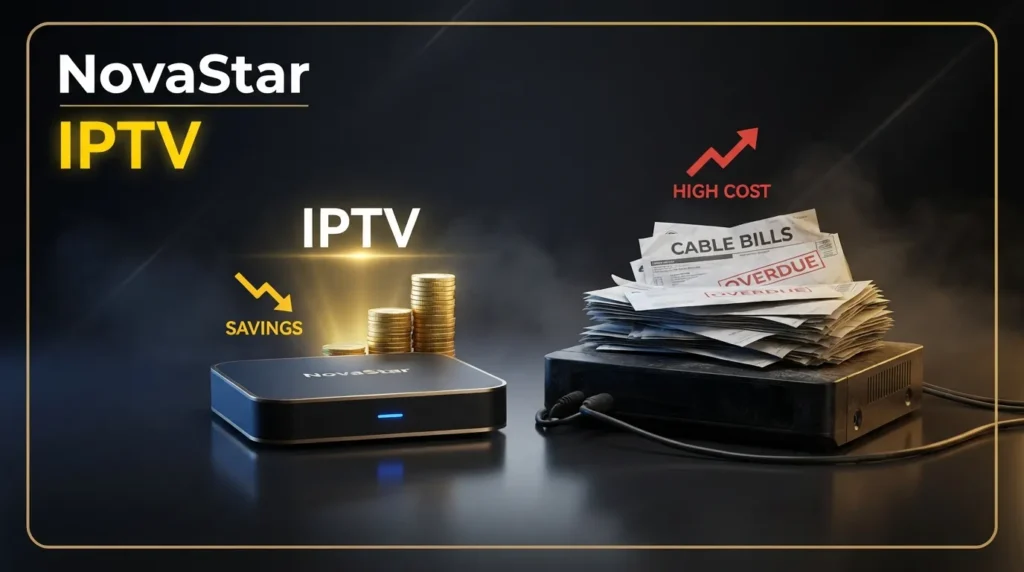
Cable bills often grow beyond the advertised price because of box rentals, broadcast fees, regional sports fees, and price increases after a promotion ends. IPTV pricing is usually simpler, but you need a reliable internet plan you’re already paying for.
Tip: compare your total monthly cable bill, including every fee, against the full cost of an IPTV plan. For reference, NovaStar IPTV plans for one device are $12.99 (1 month), $34.99 (3 months), $59.99 (6 months), and $89.99 (12 months), with no fee, commission, or markup added.
3. Contracts and Cancellation
Cable deals often lock you in for 12 to 24 months, with early termination fees if you leave. IPTV plans are often shorter. With NovaStar IPTV, you choose a fixed plan length, and plans don’t renew automatically. We send one reminder 1–2 days before your plan ends.
4. Channels and Content
Cable uses tiered packages, so the channels you want may sit in a more expensive tier. IPTV lineups vary widely by service. Instead of comparing total channel counts, check that the specific channels you watch, especially local news and sports, are available and stable.
5. Local Channels and Live Sports
This is where cable is often strongest, because local broadcast stations are usually included. With IPTV, local coverage depends on the service. Before you cancel cable, list the local stations and teams you can’t live without and confirm they’re covered. A free over-the-air antenna is also a simple backup for local broadcast channels.
6. Internet Speed and Home Network
IPTV only works as well as your internet and Wi-Fi. Each screen streaming at the same time uses more bandwidth, and weak Wi-Fi in a far room is a common cause of buffering. Check your setup before you switch:
- Internet speed requirement calculator: the speed you need for your screens
- Wi-Fi coverage calculator: spot weak rooms
- Router placement optimizer: improve coverage without new hardware
- ISP throttling detector: check whether your provider slows streaming
The FCC’s broadband speed guide is also a helpful reference.
7. Devices and Flexibility
Cable usually needs a box on every TV. IPTV works on devices you may already own, such as a Fire TV Stick, smart TV, Android TV box, Apple TV, phone, or computer. That makes it easier to watch in different rooms. Device and screen limits depend on the plan, so confirm how many screens will watch at the same time.
8. Setup and Installation
Cable often means scheduling a technician. IPTV setup is usually done in minutes: install an app, enter your access details, and start watching. If you’re not technical, NovaStar IPTV helps you set up step by step, and our streaming setup wizard walks you through it.
9. Reliability and Support
Cable keeps working during an internet outage; IPTV doesn’t. On the other hand, many IPTV problems come from the home network and can be fixed quickly. Our home network health checker and AI IPTV troubleshooter help you find the cause. Support also matters: NovaStar IPTV customers can contact us 24/7, and we usually reply within an hour during normal working hours.
Is IPTV Legal?
IPTV technology is legal. What matters is whether the service has the rights to the content it streams. Read our full guide: Is IPTV legal in the USA?
Who Should Switch, and Who Should Stay With Cable
IPTV may suit you if:
- You have reliable home internet
- You want to avoid long contracts and box rentals
- You watch on several devices or rooms
- You want to test before committing
Cable may suit you better if:
- Your internet is slow or unreliable
- Local broadcast channels are essential and not covered elsewhere
- You want TV that works during internet outages
Try IPTV Before You Cancel Cable
The safest way to compare is to test IPTV in your own home. NovaStar IPTV arranges free 24-hour trials from our verified provider, subject to availability, with no payment or card. If you continue, activation usually takes 5–10 minutes after payment is verified, and if your plan can’t be activated, your payment is refunded in full.
Request a free trial on WhatsApp, see NovaStar IPTV plans, or compare family plans for several screens.
Frequently Asked Questions
Is IPTV cheaper than cable TV?
Often, yes, especially once you add cable box rentals and fees. But you need reliable internet, so compare your total costs.
What internet speed do I need for IPTV?
It depends on how many screens stream at once and the picture quality. Use our internet speed requirement calculator for your household.
Will I lose local channels if I switch from cable?
Possibly. Local coverage depends on the service, so confirm your local stations before you cancel. An antenna is a low-cost backup.
Does IPTV work if my internet goes down?
No. IPTV needs an internet connection. Cable TV usually keeps working during an internet outage.
Can I try IPTV before canceling cable?
Yes. NovaStar IPTV arranges free 24-hour trials, subject to availability, so you can test on your own TV first.
Do I need a contract for IPTV?
Not with NovaStar IPTV. You choose a plan length, and plans don’t renew automatically.

2 Responses